Introduction
The Problem
Current traffic control systems (fixed-timer or semi-smart) are designed with a single goal: optimize traffic flow (reduce wait times, reduce congestion). However, they are completely "blind" to a critical factor: localized environmental impact. Continuous stop-and-go traffic or prolonged idling at an intersection creates "pollution hotspots".
Example: A system might optimize for fast vehicle flow but inadvertently push a large amount of PM2.5 and CO emissions into an intersection near a school or hospital. This is a failure in terms of public health optimization.
The Core Solution
GreenWave builds a real-time adaptive traffic signal control system using AI (Reinforcement Learning) to simultaneously optimize two objectives (multi-objective):
- Traffic Goal: Minimize average wait time and queue length.
- Environment Goal: Minimize estimated emissions and/or observed air pollution indices at the site.
The system is no longer "blind"; it makes trade-offs between these two goals.
Architecture & Data Flow
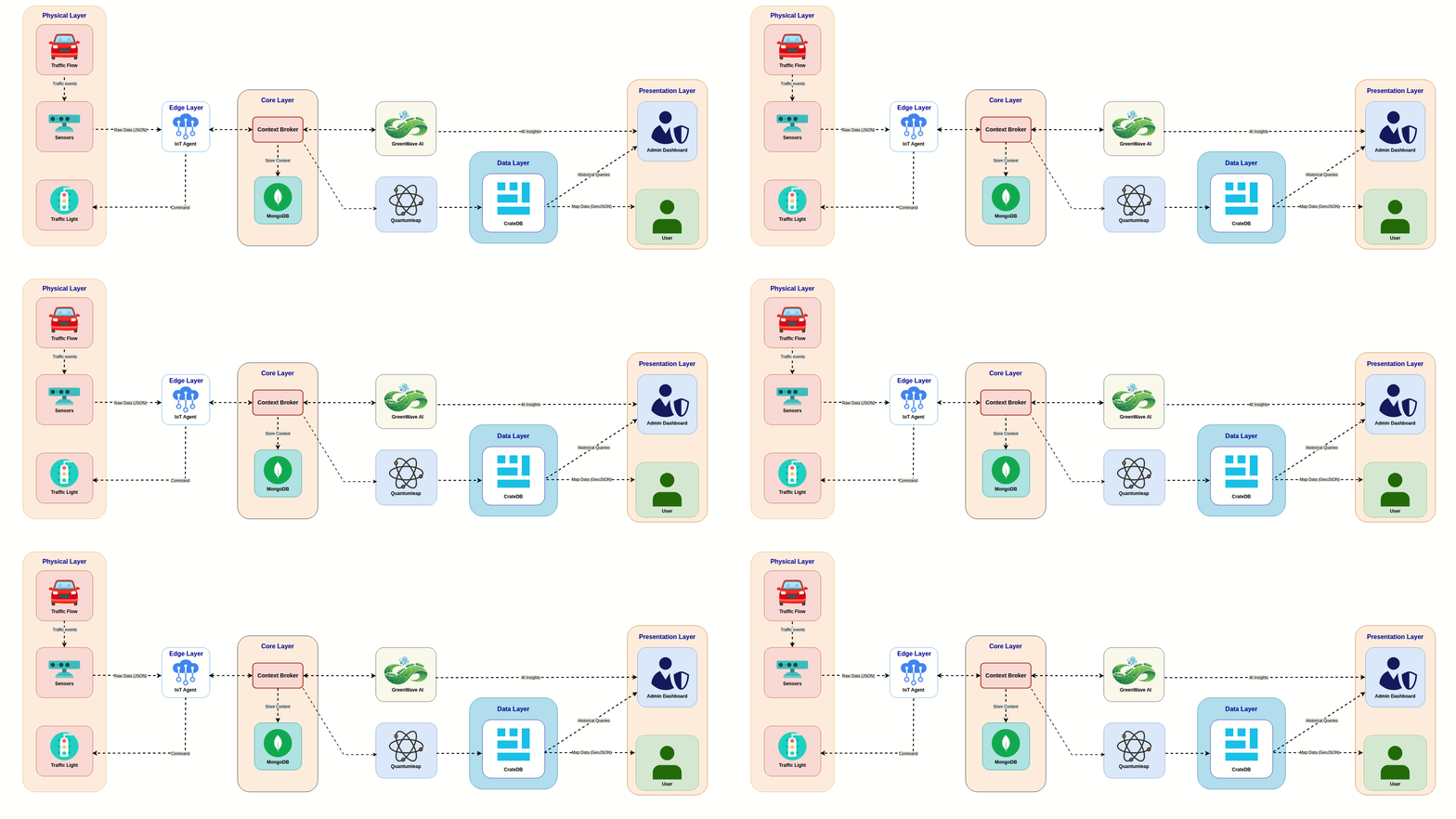
The system revolves around Smart Data Models:
- Input Layer:
- Traffic: AI Cameras (counting, classification), Induction Loops.
- Environment: Air Quality Sensors (PM2.5, CO, NO2) at intersections feeding
AirQualityObserved.
- Processing Layer:
- Camera data ->
TrafficEnvironmentImpact(Estimated impact). - Sensor data ->
AirQualityObserved(Real-time impact).
- Camera data ->
- Decision Layer (AI Agent):
- State: Traffic queues, current light phase,
AirQualityObserved,TrafficEnvironmentImpact. - Action: Extend Green, Red Now, Priority Phase.
- State: Traffic queues, current light phase,
Goals
Intelligent Control
- AI-Driven Traffic Coordination - DQN-based adaptive signal control
- Multi-Objective Optimization - Balance traffic flow & air quality
- Real-Time Decision Making - Sub-second response to traffic changes
Environmental Awareness
- Air Quality Monitoring - PM2.5, CO, NO2 sensors at intersections
- Emission Estimation - Traffic-based pollution prediction
- Pollution Hotspot Prevention - Protect sensitive areas
Monitoring & Visualization
Admin Dashboard - Comprehensive control panel with AI/manual modes
- Public Air Quality Portal - User-facing environmental metrics
- Historical Analytics - Time-series data visualization
- Real-Time Monitoring - Live dashboards and analytics for instant insights
- Control Panel By Hand/AI - Manual and AI modes for traffic control
- Manage Sensors - Add, remove, and configure sensors
- Manage Subscriptions - Subscribe to real-time data streams
DevOps & Standards
- CI/CD Pipeline - Automated testing & deployment
- OpenAPI Documentation - Comprehensive API specs
- Open Source Compliance - MIT License, Contributing Guidelines
Quick Started
Prerequisites
- Docker 28.3.2: To run the Orion-LD Context Broker. Download at Docker
- Node 24.6.0: To run the frontend. Download at NodeJS
- SUMO 1.25.0: To run the SUMO Traffic Simulation. Download at SUMO
Start your site
Run the following command to start all services (Context Broker, Backend, Frontend, and Documentation):
cp .env.example .env
cd src/backend
cp .env.example .env
docker compose up -d
Once the services are up and running, you can access them at the following addresses:
- Frontend: http://localhost:5173
- Quantum Leap: http://localhost:8668
- Backend API: http://localhost:8000
- Context Broker: http://localhost:1026